Level Loading
Author Note: I love using this structure for Game jams, because it means I can define a first & last level then fill the space between them. That way, when time is running short, I don't have to worry about the game ending unexpectedly. I also enjoy this because, when I am testing puzzles, reordering levels becomes trivial, as I just need to move them around on the prefab.
These basic classes allow you to create an open-ended level game, where a list of provided levels will be loaded in a sequence defined on the LevelLoader. This is great if you want to create a puzzle game, where you are constantly adding levels.
LevelDataDefinition
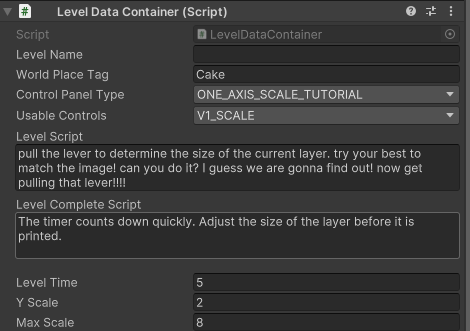
The LevelDataDefinition is meant to be attached to a root GameObject, so that the LevelLoader can use it do determine basic level information.
This class can be easily extended, but by default includes the following:
levelNamelevelDescriptionlevelTimeminScoreToPass
LevelLoader
This class is meant to be a main controller for navigating between levels. It will hold a collection of LevelDataDefinition objects, intended to be prefabs.
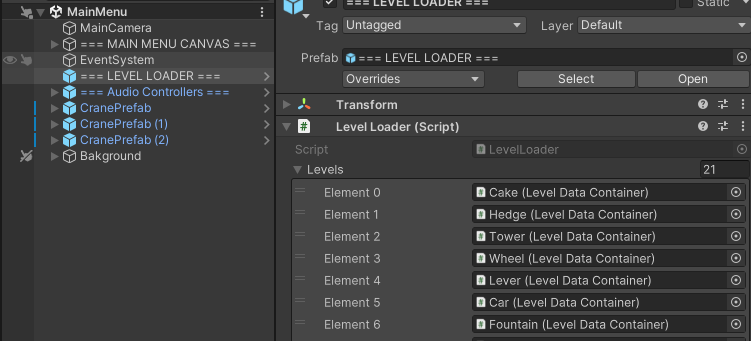
You have the ability to retrieve the current active level by calling LevelLoader.CurrentLevelController.
static functions that can be called globally:
OnLastLevel(): This returns aboolindicating if the current level index matches the length of thelevelslistLoadFirstLevel(): Ideally this will be called on game startLoadNextLevel()Restart()